 Aloft


1 Where
Pick the cities. That's the route.
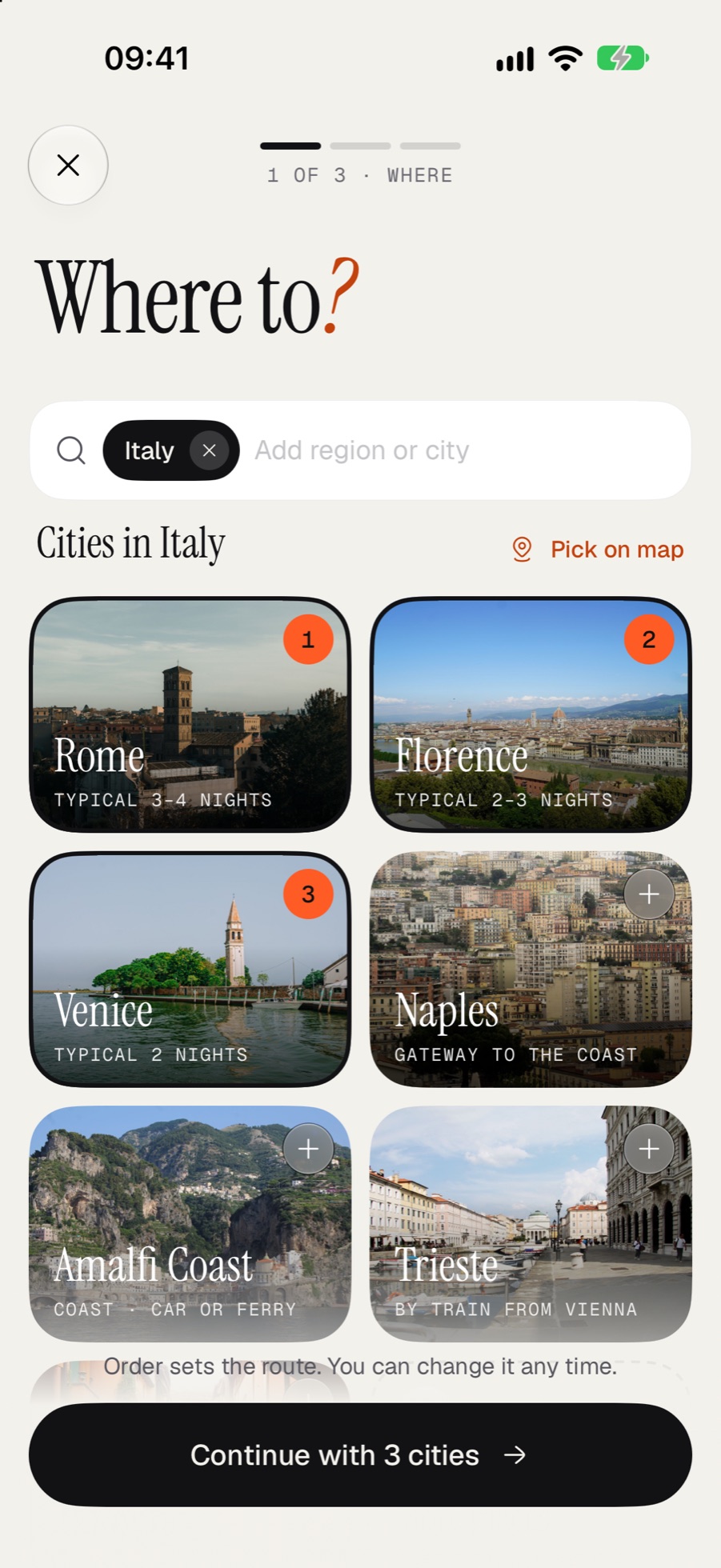
Start with a country and Aloft suggests its cities. Tap them in the order you want to see them.

Aloft turns a list of cities into a route, a map and a plan for every day. Once you're on the road, it shows you what's next.
Free to start. No account.
iPhone, iPad and Mac.

Twelve nights, four cities, one flight in, a train and two long drives. A trip like that deserves better than a notes app and nine open tabs.








1 Where
Start with a country and Aloft suggests its cities. Tap them in the order you want to see them.

2 When
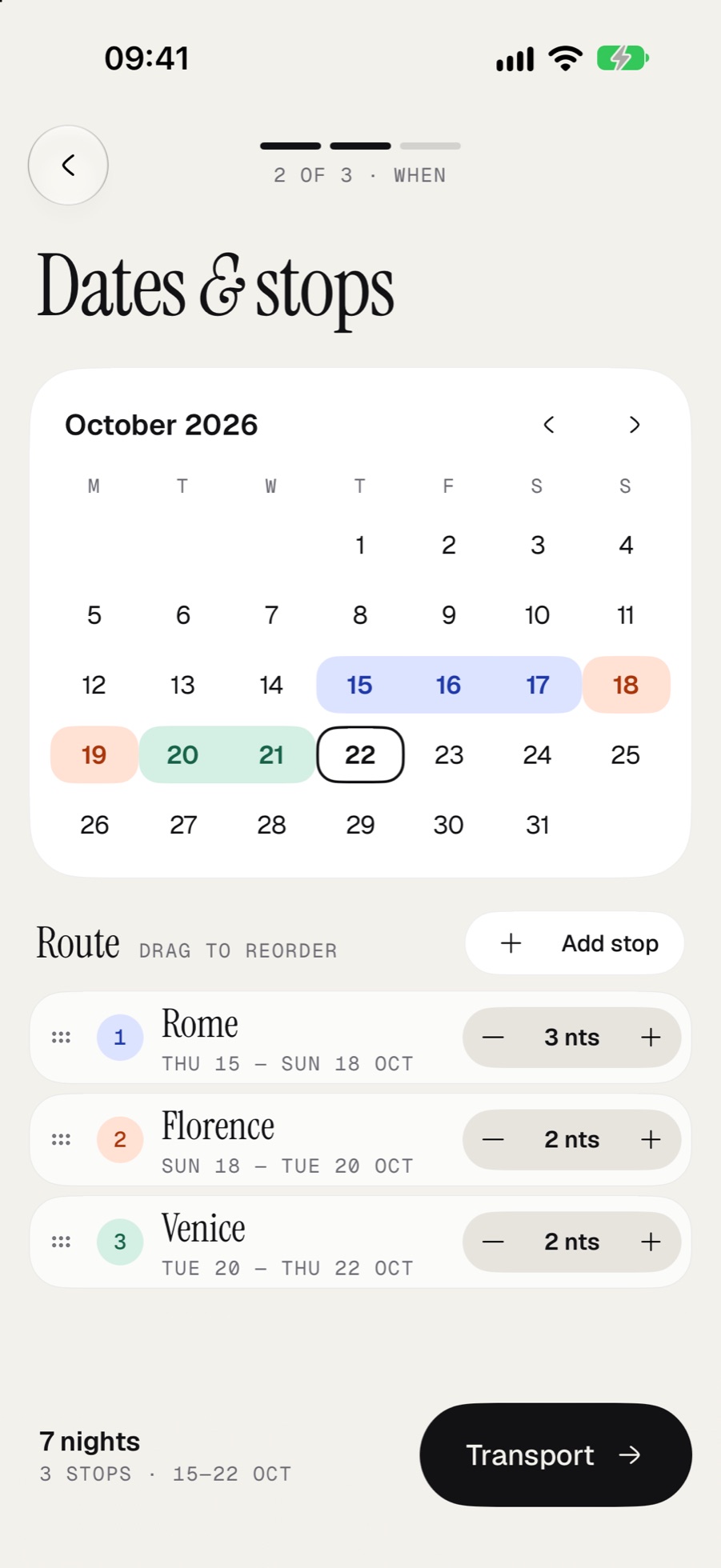
Pick a start day and set the nights for each stop. Drag a stop to reorder the route.


3 The map
Every stop gets a pin and a colour, joined by the way you travel: train, car, bus or plane.

4 Each day
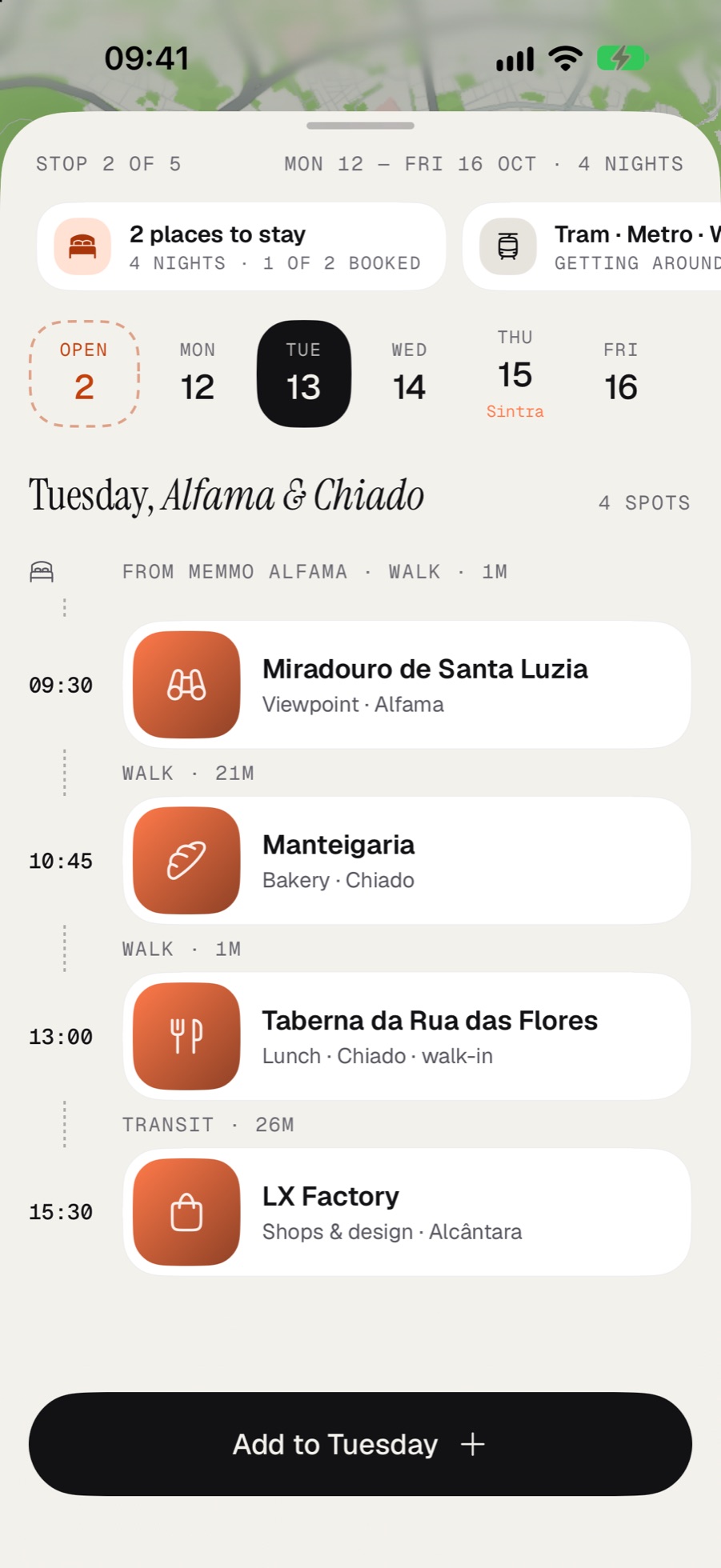
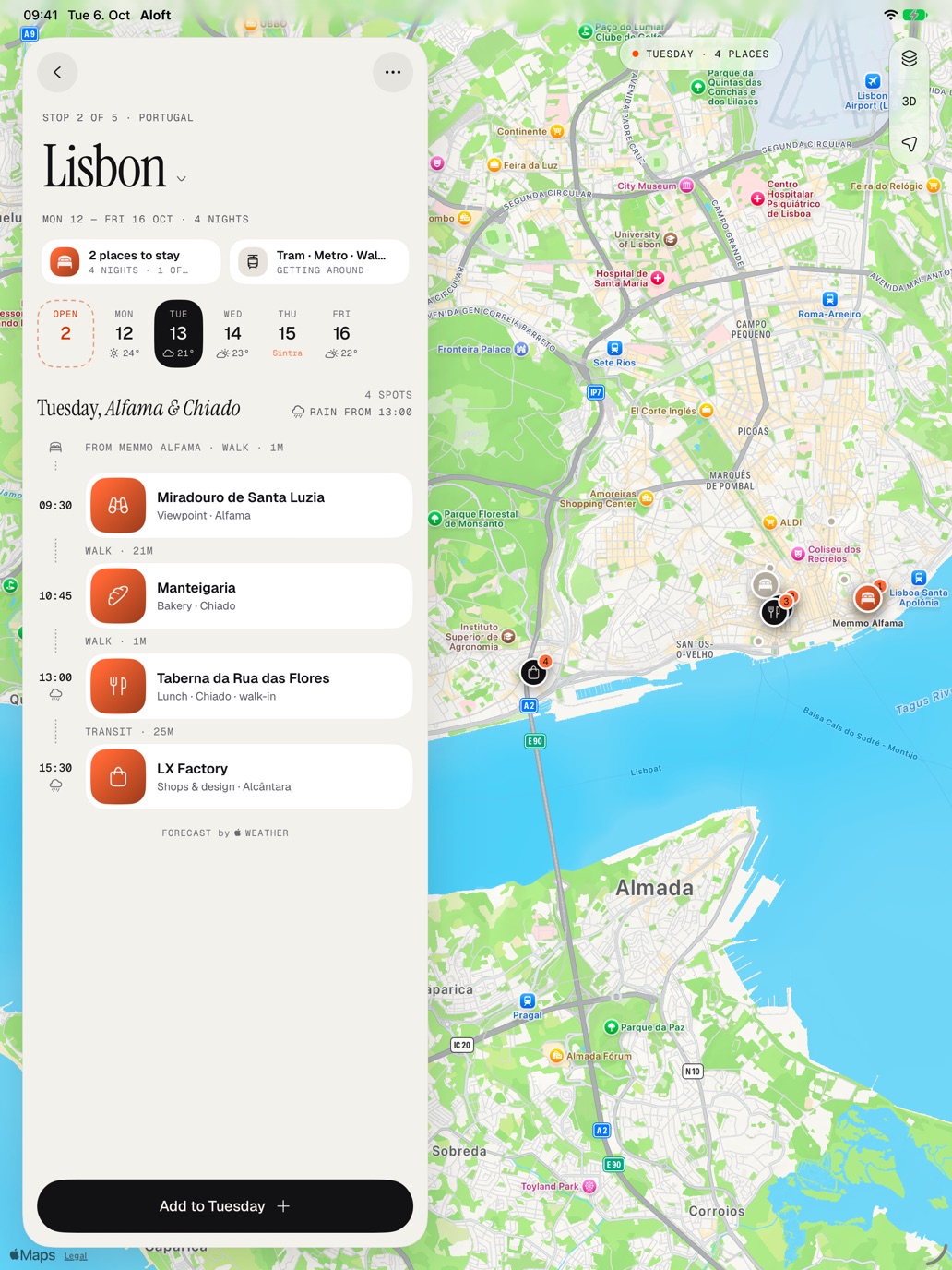
Add viewpoints, bakeries and tables from Apple Maps. Give them a day and a time, and Aloft works out the walk in between.

5 On the road
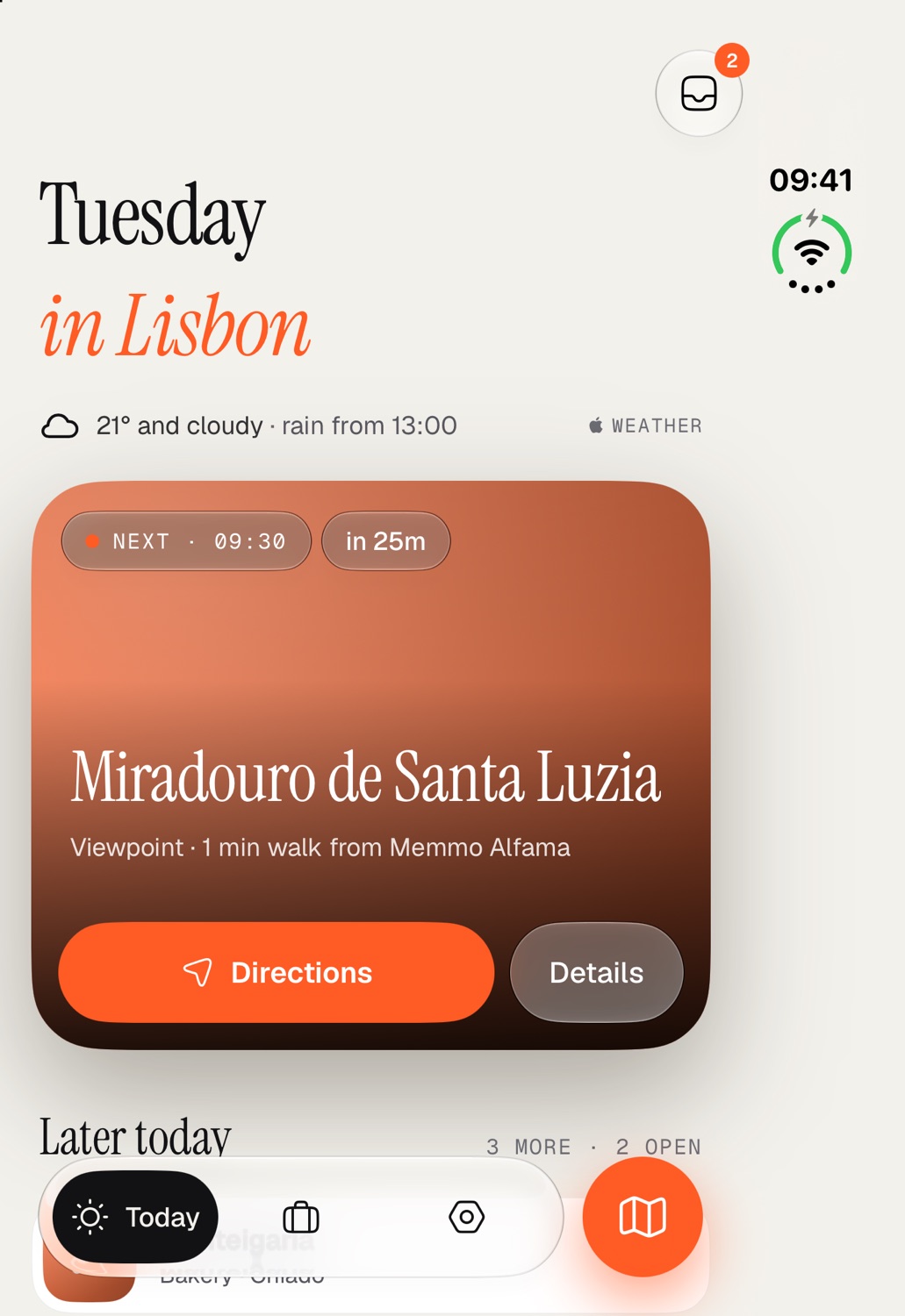
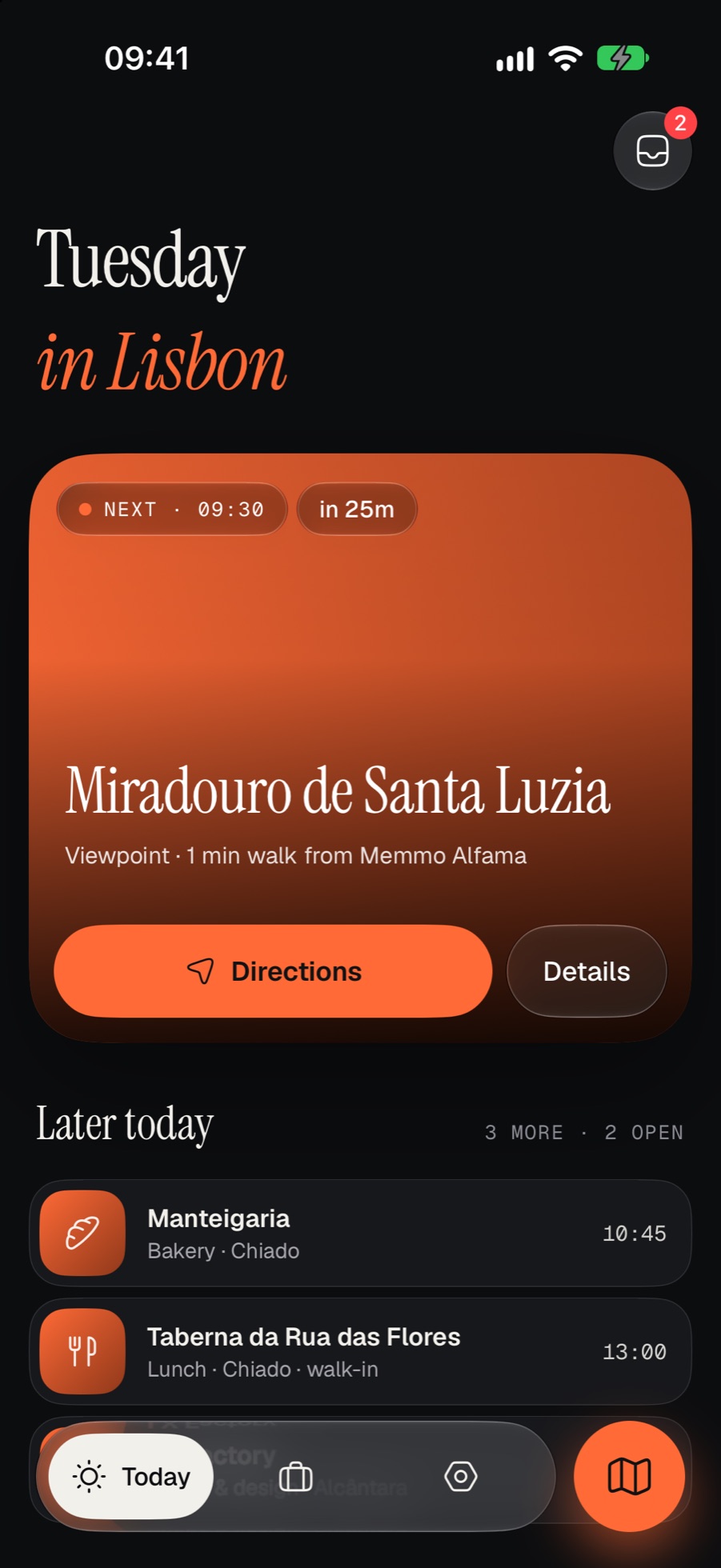
Once the trip starts, Today opens on the next spot: when it starts, how far it is and one tap to directions.
Your trips sync through iCloud. Buy Pro once and it works on all of them.
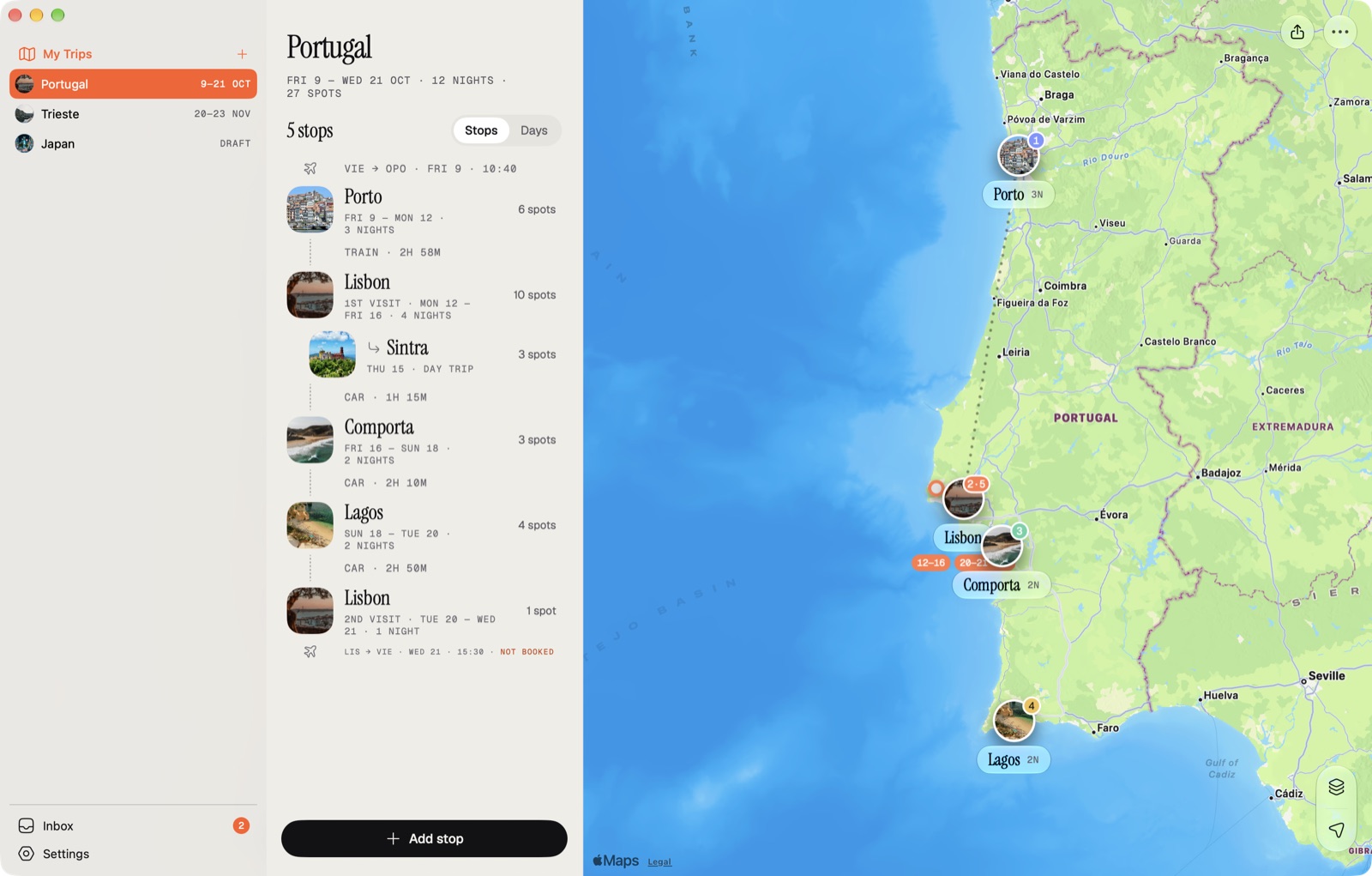


A native Mac app, for the long planning evenings.
For planning on the sofa.
The one you take along. With full support for iPhone Duo.
Share a trip with anyone on iCloud. Everyone edits the same plan.
Share a confirmation to Aloft and it files the flight, hotel or train in the right trip.
The forecast sits on each day of the plan as it gets close.
No sign-up, no server, no tracking. Your trips live in your iCloud.
One whole trip is free. Pro removes the limits, and it's really cheap.

Monthly
€4.99a month
For a whole month of Pro.

Yearly 7 days free
€24.99a year
For every trip of the year.

Lifetime
€59.99once
Pay once, keep Pro for good.
The App Store shows the price for your country. If Pro ends, nothing you've planned is locked or hidden.